
Rathnaweera Auto Care App – Professional Car Service Booking in Sri Lanka

Book car service, vehicle maintenance, and car wash at your fingertips

Our versatile car service booking app simplifies vehicle service access and delivery in Embilipitiya and across Sri Lanka. This comprehensive vehicle service app provides clients with an efficient and user-friendly solution for booking car service appointments, tracking maintenance, and managing your vehicle's needs. Experience seamless communication, streamlined processes, and convenient car service booking all from your mobile device.
Download Rathnaweera Auto Care app on Google Play Store Download Rathnaweera Auto Care app on Apple App Store
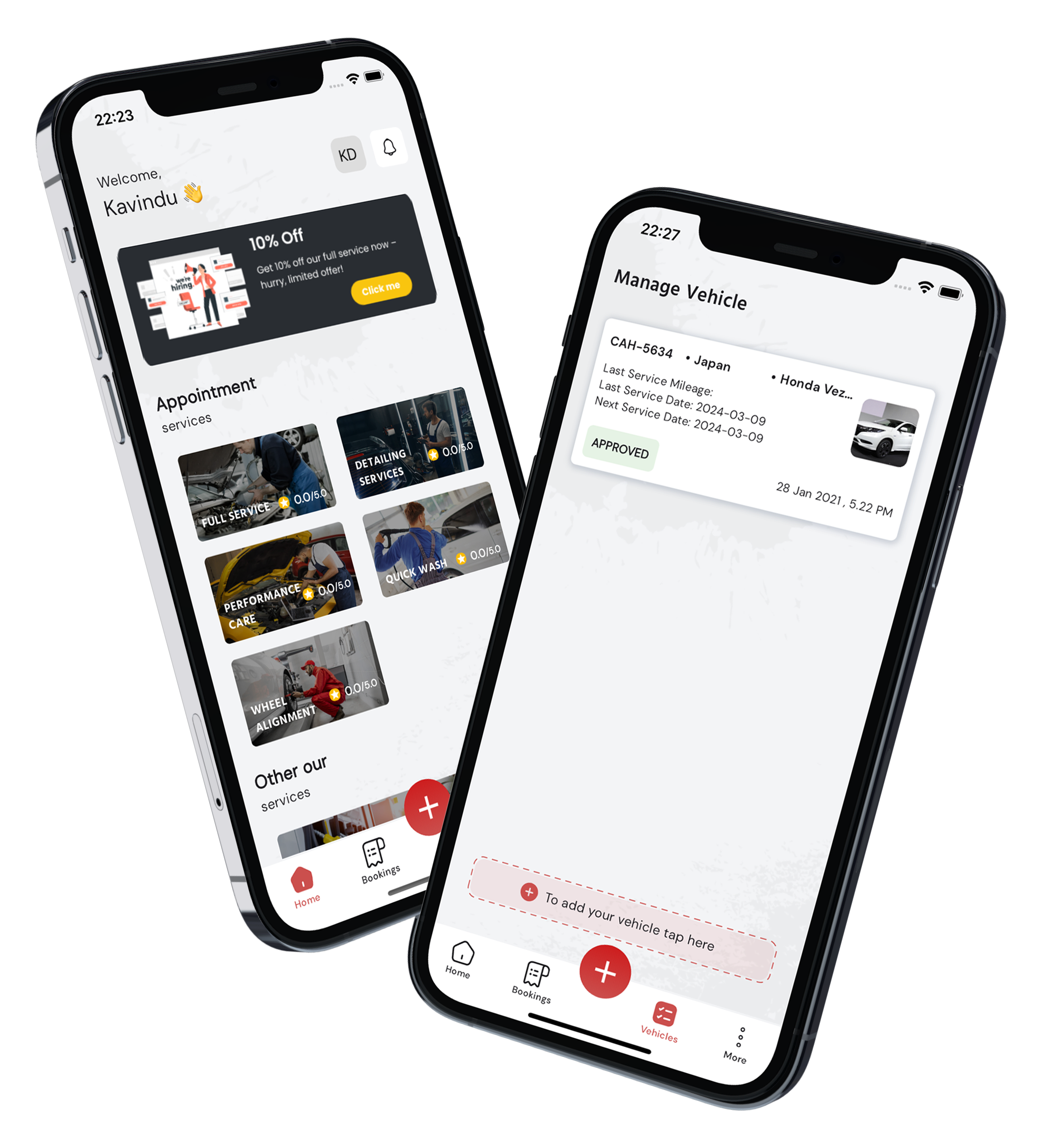
Rathnaweera Auto Care mobile app interface showing car service booking features
About Our App

Why Choose Our App?

01

Work Process

Our Work Process offers round-the-clock car service for your convenience. Expert technicians are ready whenever you need maintenance or repairs, ensuring a hassle-free experience tailored to your schedule.

02

Expert Team Members

Our car service is delivered by a skilled team of experts. With extensive knowledge and precision, they ensure top-notch maintenance, repairs, and customer satisfaction, guaranteeing your vehicle's optimal performance.

03

Quality Time Delivery

Experience convenience with our Quality Time Delivery service. We bring the car service to you, saving your valuable time. Expert care, delivered at your doorstep.

shape

App Features

Phone number login feature icon

Phone Number Login

Login effortlessly with your phone number and receive a secure OTP for swift and secure access, eliminating the need for passwords.

Real-time notifications feature icon

Real-Time Notifications

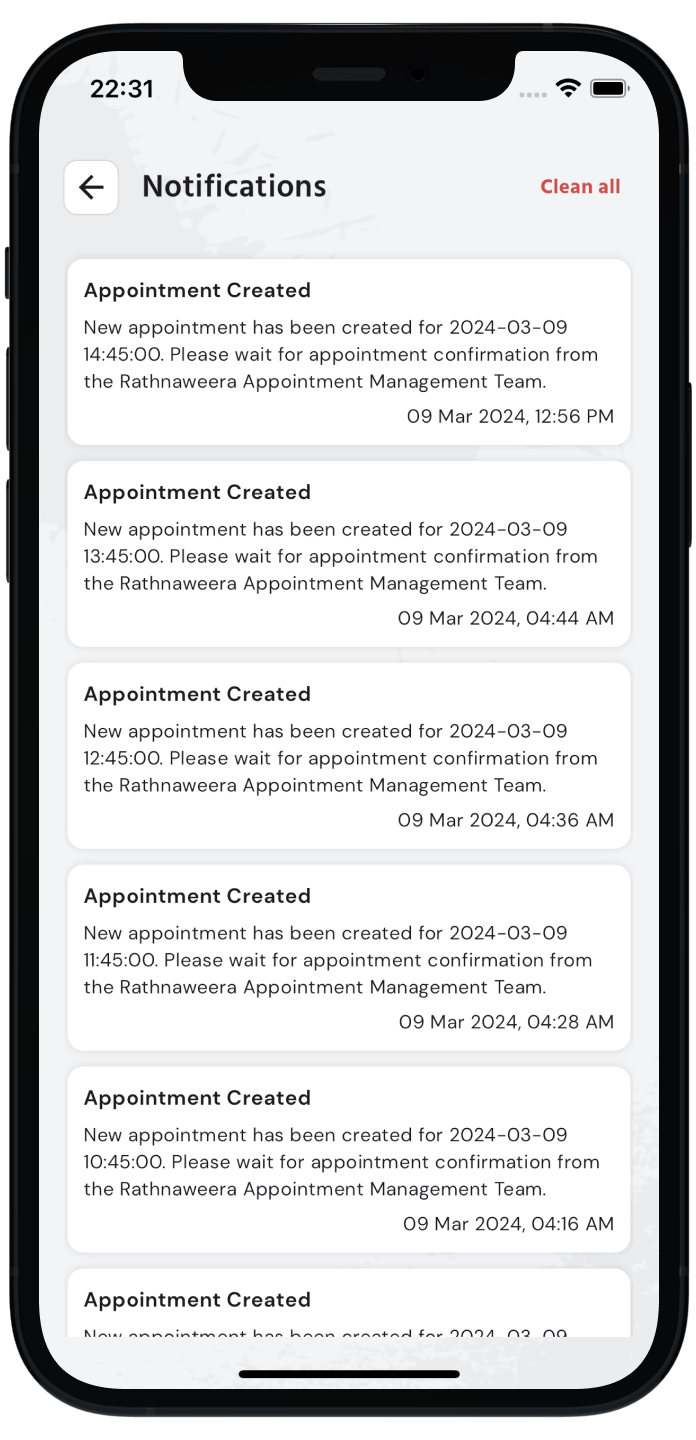
Receive instant notifications on your vehicle service bookings, ensuring you're continuously updated on the status from booking to completion.

User reviews and feedback feature icon

User Reviews and Feedback

Share your experience post-service by providing valuable feedback and reviews, aiding us to enhance our offerings and assisting fellow users.

Online payments feature icon

Seamless Online Payments

Enjoy hassle-free transactions with our streamlined online payment system, ensuring secure and speedy payments for all your bookings.

Profile customization feature icon

Personalization and Profile Customization

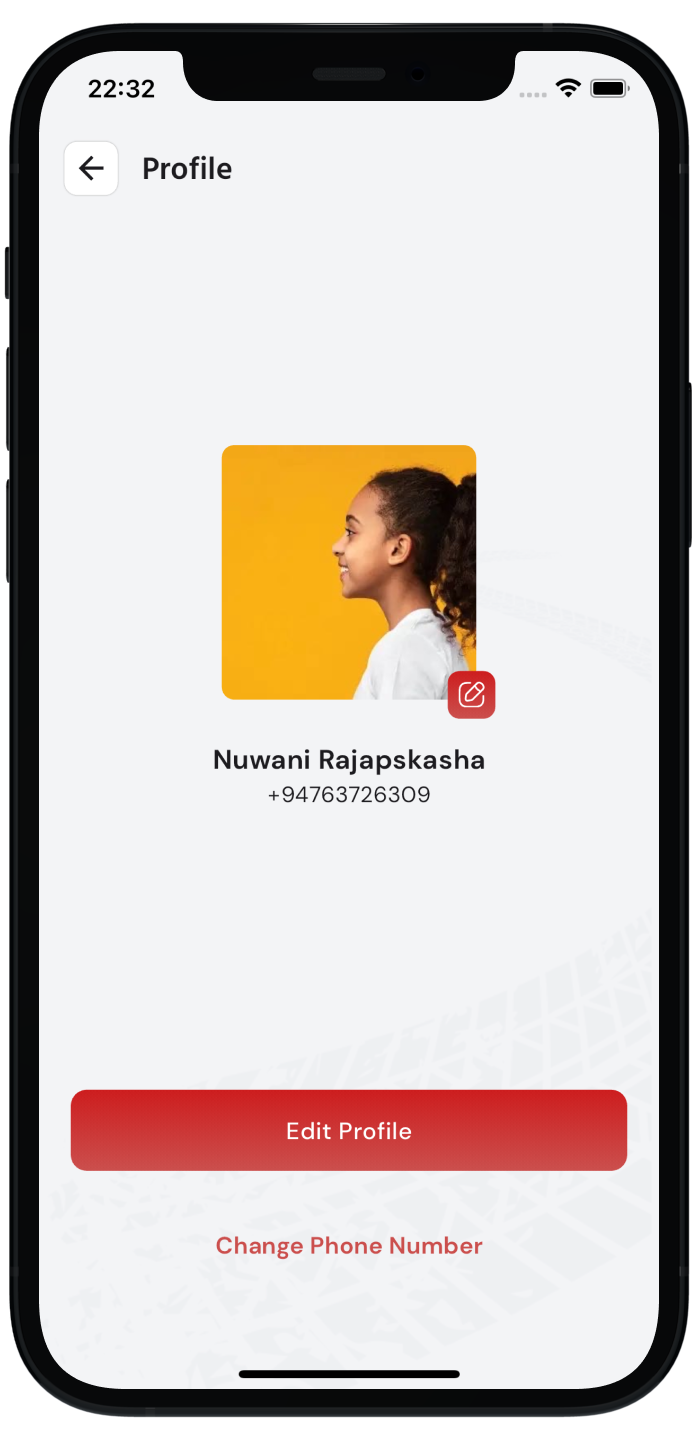
Customize your profile to reflect your preferences, ensuring a personalized and user-centric experience throughout our platform.
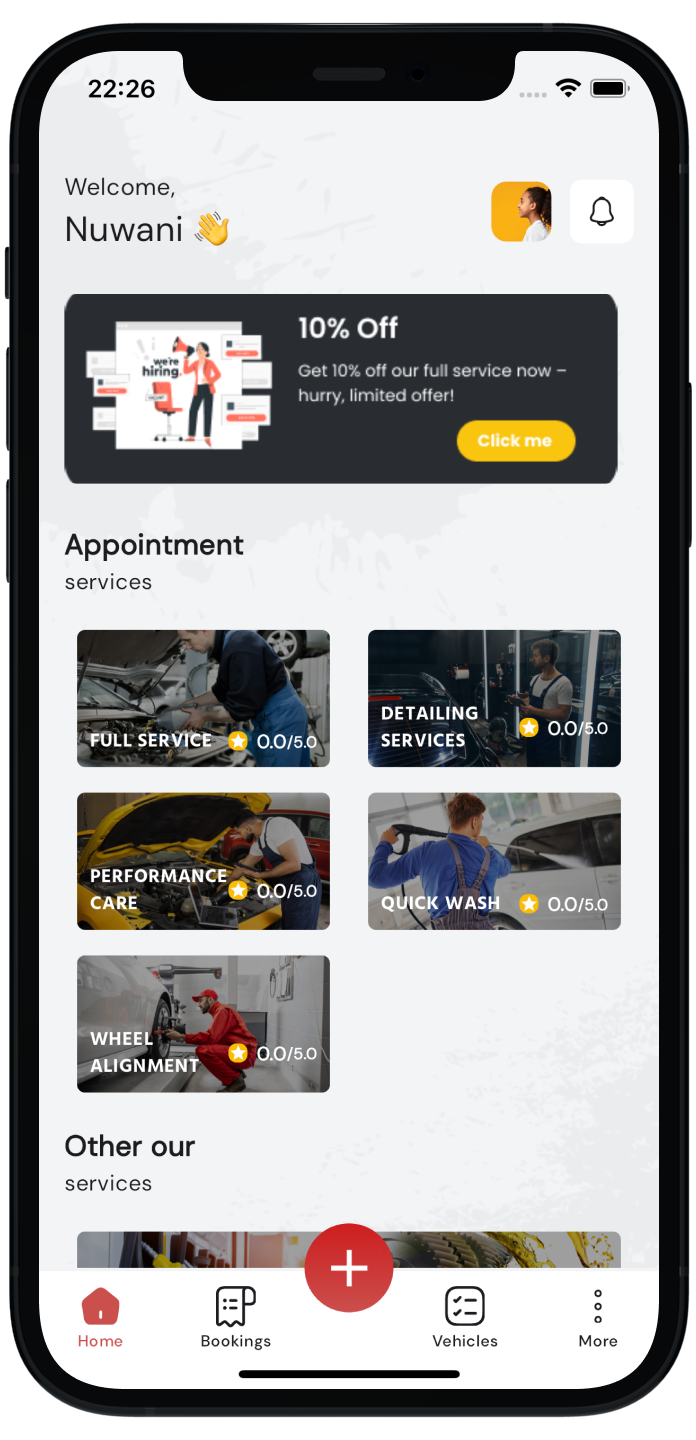
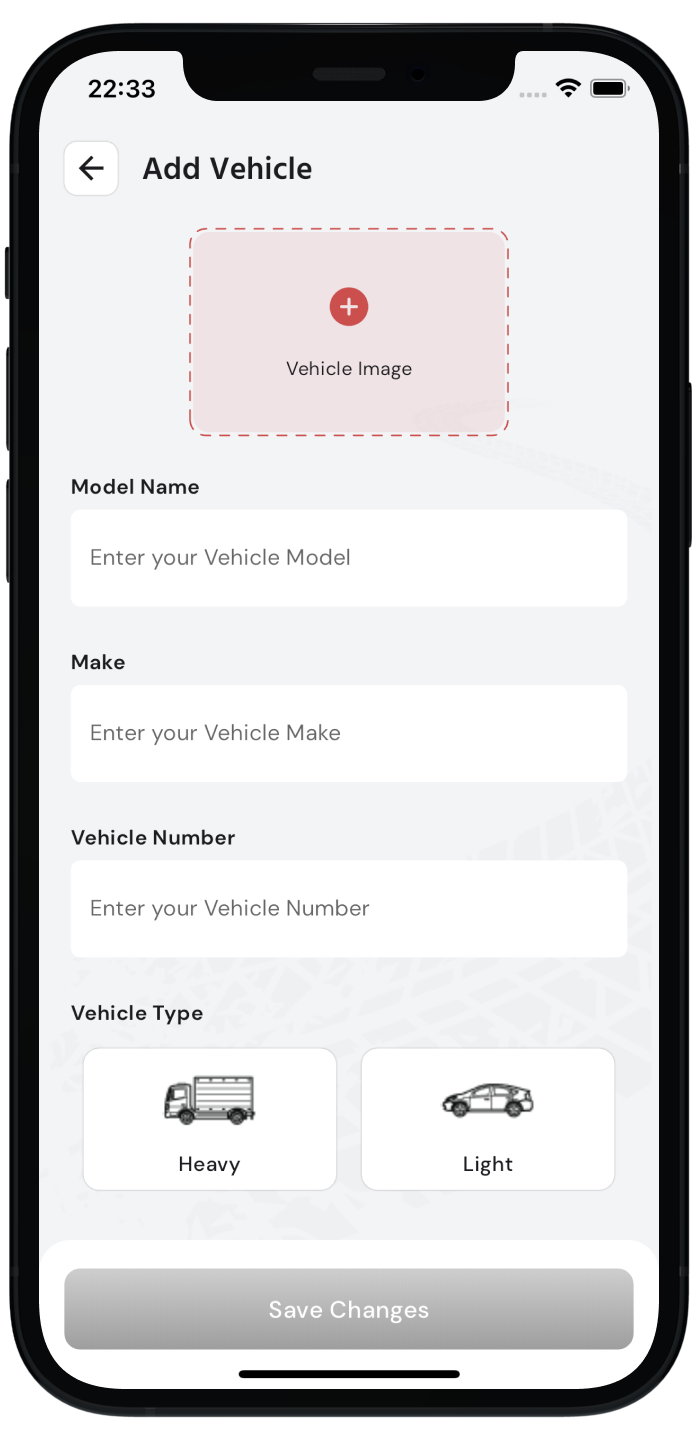
App Screenshots

shape
Got Questions?

Frequently Asked Questions

Everything you need to know about the Rathnaweera Auto Care app and how it simplifies your vehicle service experience.

The app is your all-in-one companion for vehicle maintenance. You can book car service appointments in seconds, track service status in real-time, make secure online payments, manage your vehicle profile, and receive instant notifications.

We've made it incredibly simple. Just enter your phone number, and you'll receive a secure OTP (One-Time Password) via SMS. No need to remember complex passwords—just your phone and you're in!

Absolutely! The Rathnaweera Auto Care app is 100% free to download on both the Google Play Store and Apple App Store. There are no hidden subscription fees or initial costs to use our booking platform.

We currently serve Embilipitiya and the surrounding areas within the Rathnapura District. We are rapidly expanding to cover more regions in Sri Lanka, so stay tuned for updates!

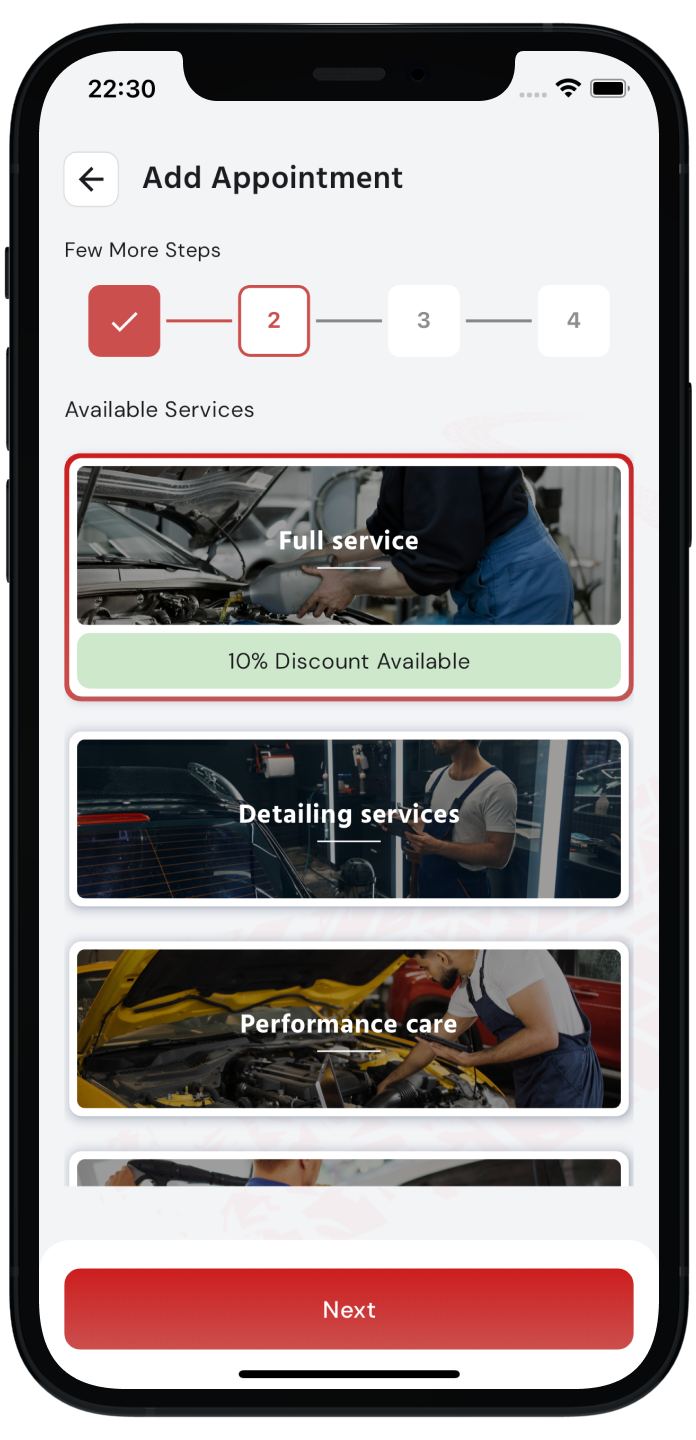
We offer a range of professional vehicle care services including Full Service, Quick Wash, Detailing Service, Wheel Alignment, and Performance Care. Each service is designed to keep your vehicle in top condition. You can browse and book any of these directly from the app.

The Full Service is our most comprehensive auto care package. It covers a thorough inspection and treatment of your vehicle from top to bottom, giving your car the complete attention it deserves. This service includes detailed work that goes beyond a standard wash, ensuring your vehicle is properly maintained inside and out.

The Quick Wash is a fast and efficient exterior wash designed for customers who need a clean vehicle without the wait. It is ideal for regular maintenance washes to keep your car looking its best between more thorough service visits.

The Detailing Service is a deep cleaning and restoration treatment for your vehicle. It goes well beyond a standard wash, focusing on every surface, interior compartment, and exterior finish to restore your car to a showroom-quality condition. Ideal for special occasions or periodic deep care.

Wheel Alignment is a precision service that adjusts the angles of your vehicle's wheels to the manufacturer's specifications. Proper alignment improves handling, reduces tyre wear, and ensures your car drives straight and smooth. It is recommended whenever you notice uneven tyre wear or pulling to one side.

Performance Care is a service focused on maintaining and enhancing your vehicle's mechanical performance. It covers key systems that affect how your car runs, helping to ensure reliability, fuel efficiency, and overall driving quality. Our trained technicians will assess and service the components that keep your vehicle performing at its best.

Yes, you can! Our app integrates a highly secure payment gateway that supports multiple payment methods. You can pay for your car wash or service directly within the app, making the entire process contactless and convenient.

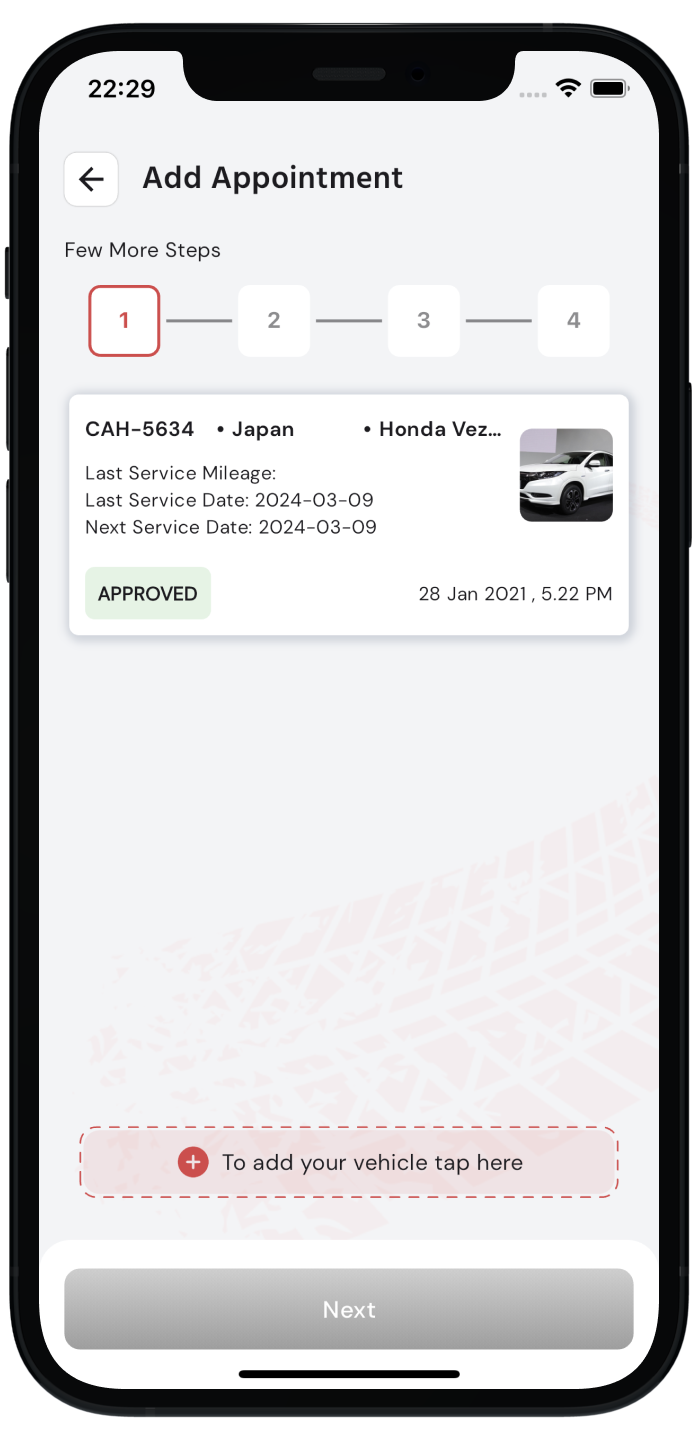
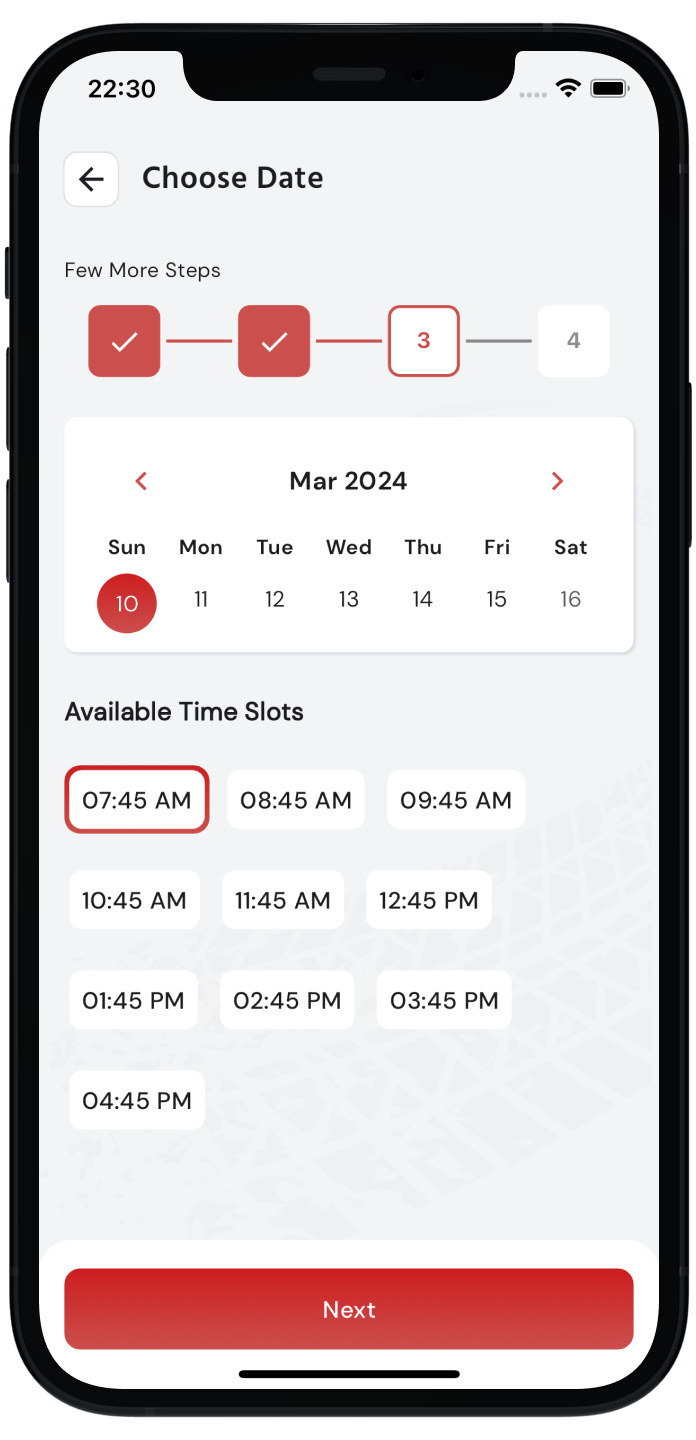
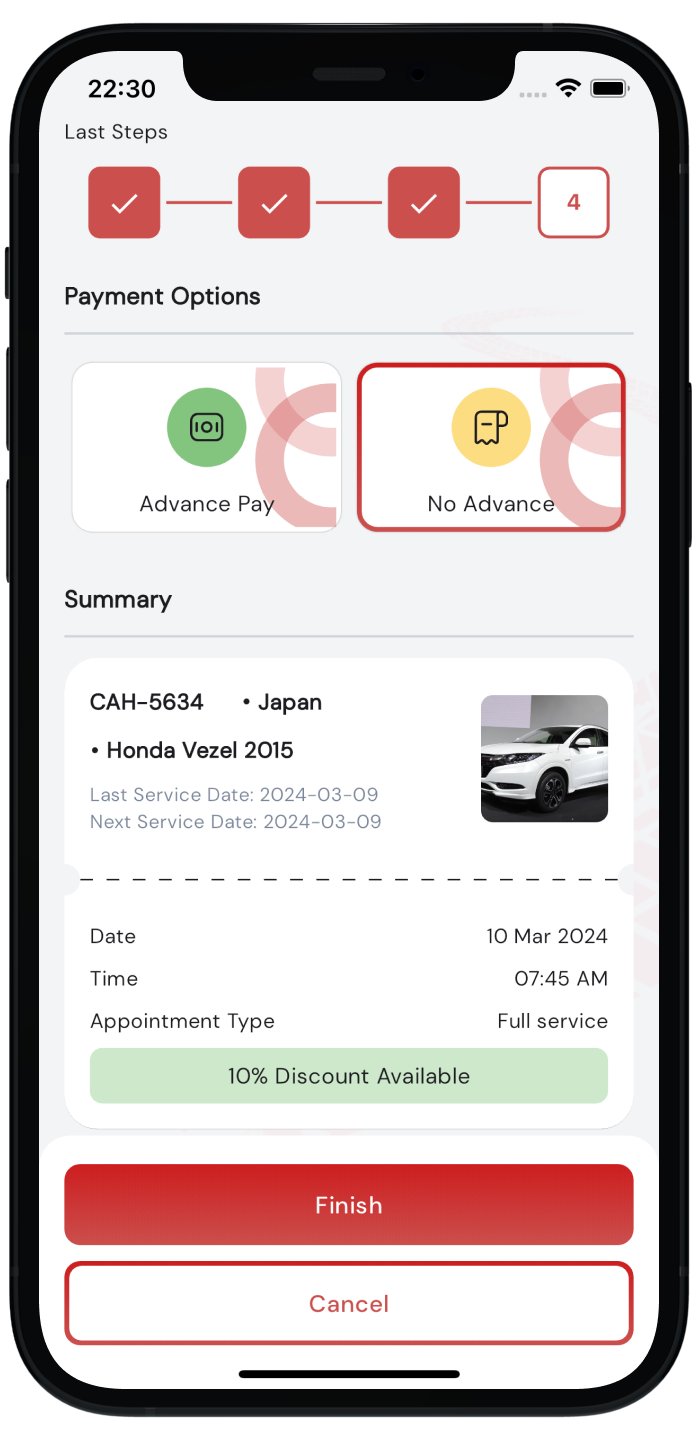
Open the app, go to Bookings, and tap to create a new appointment. Select your vehicle, choose the service you need, pick an available date and time slot, review the details, and confirm your booking. You can complete payment in the same flow when advance payment is required.

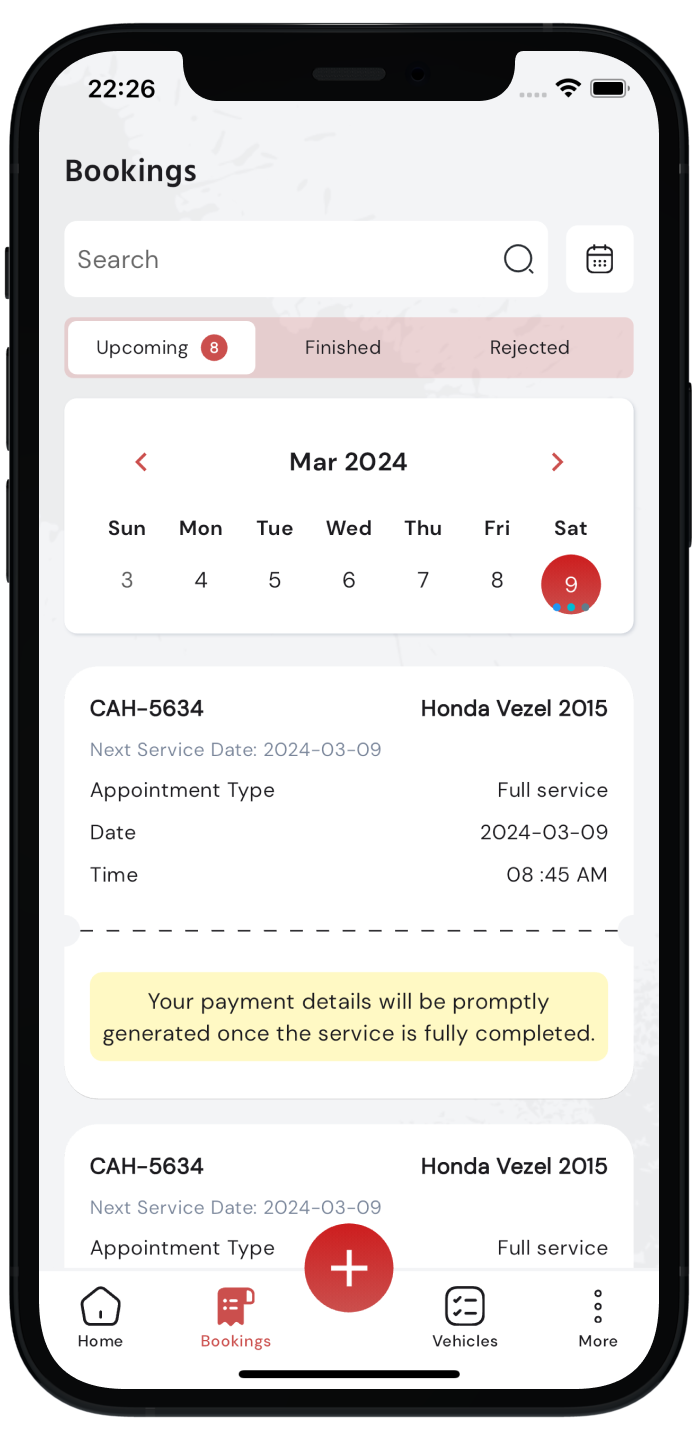
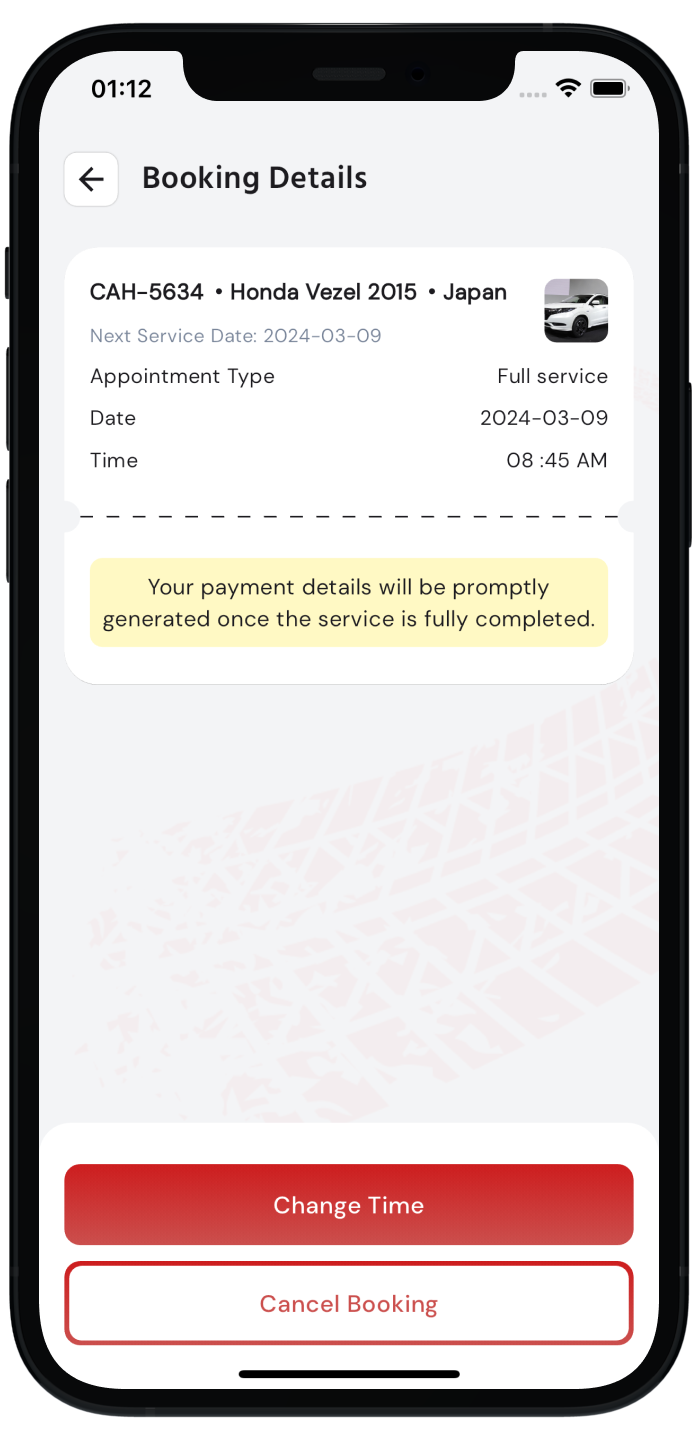
Yes. All your past and upcoming bookings are available in the Bookings tab. You can tap on any booking to see the full details including service type, date, status, payment information, and invoice if available.

Pending means your booking has been received and is awaiting confirmation. Confirmed means your appointment is scheduled. In Progress means your vehicle is currently being serviced. Completed means the service is done. Canceled means the appointment was canceled. You can track status changes in real-time from the Bookings tab.

Go to Manage Vehicles from the app menu. Tap Add Vehicle and enter your vehicle details along with clear photos (front/side and rear views when requested). You can view, edit, or update vehicle information anytime from the same section.

Yes. You can add as many vehicles as you need under your account. Each vehicle is managed separately, so you can book services and track history for each one individually. Just go to Manage Vehicles and add each vehicle with its details and photos.

The app supports a wide range of vehicle types including sedans, SUVs, vans, and other common vehicle categories. When adding your vehicle, select the correct type from the available options so our team can prepare the right service for your car.

New vehicles are reviewed by our team to make sure details and photos are correct before booking. If your vehicle shows as pending, please wait for approval. If it is rejected, update the required details or photos and submit again. Once approved, you can book services for that vehicle.

If your vehicle is rejected, you will receive a notification explaining the reason. Common reasons include unclear photos or missing details. Simply update the information or upload better photos from the Manage Vehicles section and resubmit for review. Our team will review it again promptly.

Yes. Open your booking from the Bookings tab, view the appointment details, and use the available options to change your time slot or cancel when permitted. Some changes may depend on how close you are to the scheduled time and your booking status.

You will receive a push notification when your vehicle's service status is updated to Completed. You can also check the Bookings tab at any time to see the latest status of your appointment.

Yes. Once your service is completed and an invoice is generated, you can view the full invoice directly from your booking details in the Bookings tab. It shows a complete breakdown of charges, discounts, and taxes applied to your service.

Yes. After your appointment is marked as completed, a review option will appear in your booking details. You can rate the service and share your experience. Your feedback helps us continuously improve the quality of our service.

Eligible promotions may appear on your home screen or during booking. Select a promotion or enter a valid promo code at checkout to apply the discount. Only active promotions that match your service and booking details will be applied to your final amount.

Some services may offer advance payment options at checkout. If advance payment is enabled for your booking, you can pay a part of the amount upfront to confirm your slot. If advance payment is not required, you can complete payment according to the options shown during booking.

Yes, completely. All payments are processed through a fully secured payment gateway. We do not store your card or payment details on our servers. Every transaction is encrypted and handled securely so you can pay with full confidence.

The app sends notifications for important updates such as booking confirmations, status changes, and service reminders. You can view all notifications from the Notifications section in the app. Make sure push notifications are enabled on your phone for the best experience.

We use push notifications to keep you updated on your booking status, service progress, special promotions, and reminders. Allowing notifications ensures you never miss an important update about your vehicle. You can manage notification permissions from your phone's Settings at any time.

Go to the More section in the app and select your profile. From there you can update your personal details such as your name and profile photo. Keep your profile up to date so our team can identify and assist you easily.

We take all feedback seriously. If you experience any issue with a booking, payment, or service quality, please contact us directly through the support options available in the app's More section, or visit our service center in Embilipitiya. Our team will work to resolve your concern as quickly as possible.